
Introduction
Artificial intelligence has long since found its place in photography. Whether automatic lens corrections or intelligent masking - much of what we use today in Lightroom or Photoshop is already based on AI.
Imagen AI ( https://imagenai.com/qimago_blog) takes this one step further: the software promises to automatically edit complete image series in your own style - quickly, consistently and with astonishing precision.
I took a look at how Imagen AI works, what happens to the uploaded images, what costs are incurred and for whom this service is actually worthwhile.
Transparency notice
This article was created in paid partnership with Imagen AI. The content design and evaluation were carried out independently and without editorial influence from the partner.
How does Imagen AI work?
At its core, Imagen AI is a cloud-based service that works closely with Adobe Lightroom Classic,
Lightroom CC, Photoshop and Bridge.
The idea is simple but clever: the software analyzes your previous Lightroom edits and creates a personal AI profile. This profile mimics your style and automatically applies it to new photos.
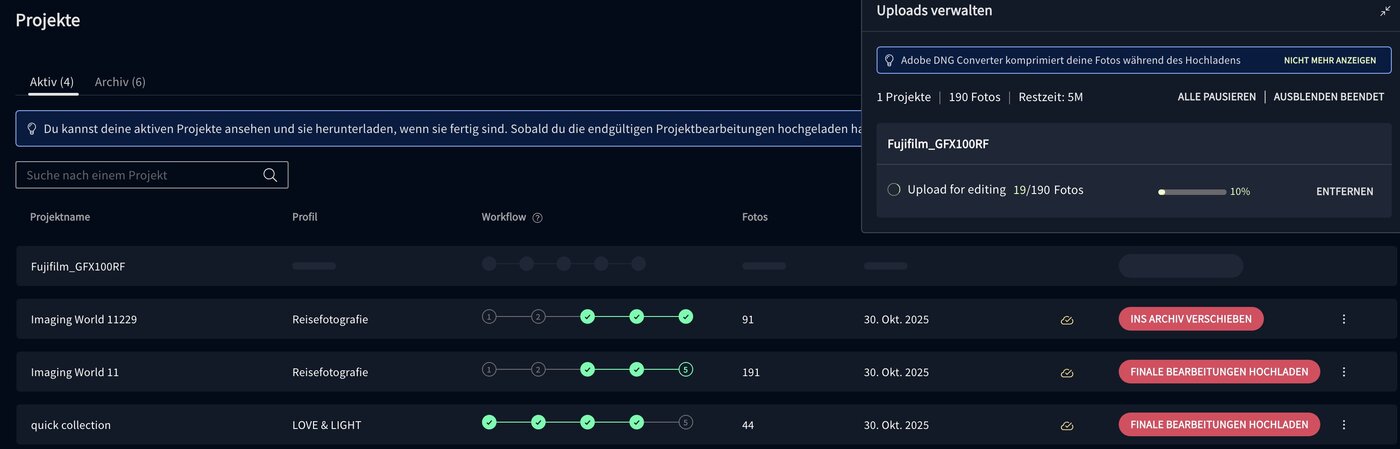
The process is straightforward: First, you upload a Lightroom catalog or a selection of edited images to Imagen. The AI then learns from parameters such as exposure, white balance, contrast and color balance. Once the personal profile has been created, you can upload entire series of RAW files - Imagen automatically applies your editing logic and returns finished Lightroom files after a few minutes.
Lite profiles vs. personal profiles
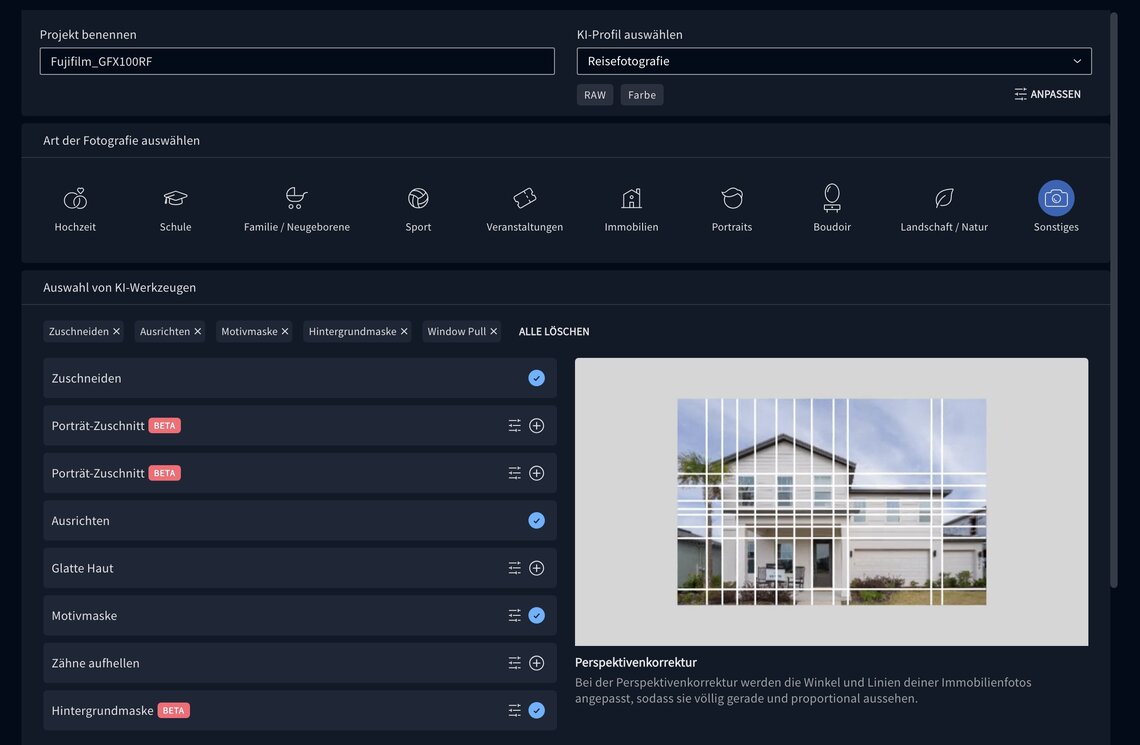
Imagen offers two ways to work with the AI: via so-called Lite profiles or via a personal profile.
A lite profile is based on an existing preset - so you can import an existing look (e.g. your favorite preset from Lightroom) and Imagen will try to replicate that style. This works particularly well if you don't yet have a large image base of your own, but want to establish a consistent look.
A personal profile, on the other hand, is trained individually - with your own edits. The more images you provide to Imagen, the more precisely the AI recognizes your style. Imagen currently recommends around 1,000 edited photos as a good starting point. The profile evolves over time as you upload new edited catalogs - so the algorithm becomes more and more accurate.
Data protection - what happens to my pictures?
The issue of data protection is particularly crucial for cloud-based services.
Imagen AI uses the Google Cloud Platform, with servers in both the EU and the USA. According to the company, all data transmission is encrypted. Once processing is complete, the uploaded images are automatically deleted.
Particularly important: the AI does not access third-party data. Your personal editing profile is trained exclusively on the basis of your own images and is not mixed with other user profiles.
This means: Imagen analyzes your data, saves it temporarily and then deletes it again. However, if you don't want to upload images to a cloud, you won't be happy with this approach - there is no local version yet.
What is the price of Imagen AI?

Imagen's pricing model is clearly structured and easy to calculate for professionals.
There is a basic monthly fee of 7 euros, plus costs per edited image - between 5 and 7 cents, depending on the package.
A fair point: the basic amount is not lost if you don't edit anything in a month. The credit can be collected as credits and redeemed later. To get started, Imagen also offers a free quota of 1,500 images, which you can use to test the software without obligation.
For professional photographers who regularly edit hundreds or even thousands of photos, the price-performance ratio is absolutely fair. Those who only occasionally develop individual images, on the other hand, should carefully check whether the monthly outlay is worth it.
For whom is Imagen AI useful - and for whom not?
Those who regularly produce large series benefit the most: Wedding, event and reportage photographers, but also traveling content creators who need consistent results in a short time. Imagen AI can save real hours of post-processing here.
It is less useful for photographers who adjust each image individually, experiment with local masks or artistic color looks or deliberately seek analogue-imperfect results. Even those who don't want a cloud solution for data protection reasons should stick to classic local workflows.
Strengths and limits
What makes Imagen AI really impressive is its speed. Hundreds of images in just a few minutes - that saves time that could be spent on taking photos or making the final selection. The look remains amazingly consistent, especially if you give the system enough of your own material to learn from.
Of course, there are also limitations. Imagen AI only works with the Adobe programs Lightroom, Photoshop and Bridge - other platforms such as Capture One or Luminar are currently not supported. Local adjustments, masking or skin retouching still have to be done manually. You also need a stable internet connection for uploading, which is not always a given when you are on the move.
My conclusion
Imagen AI is no substitute for creative work on images, but it is a powerful assistant in the digital workflow. Anyone who regularly edits a lot of photos will benefit enormously from the speed and consistent quality.
For me personally, Imagen is not so much a tool that replaces my work, but one that makes it more efficient - a kind of digital assistant that takes over routine work without losing my style.
Privacy remains a point to think about, but technically Imagen currently delivers one of the cleanest and most reliable AI implementations in the Lightroom environment.